How to create new API key
You can generate API keys directly in the Calypso Pay interface. API keys are used to connect your systems, scripts, or MCP clients to Calypso Public API.
Each API key is created for a specific account inside your company. It cannot be used as a universal company-level key for every account. If your company has several accounts, generate API keys separately for the account that the integration or MCP client must use.
Calypso supports two access levels for API keys:
| Access level | Use it for |
|---|---|
Read only | Analytics, reconciliation, reports, support checks, and MCP access. A read-only key can request data but cannot create payouts, invoices, or other write operations. |
Full access | Full Public API integration where your system needs to create or manage business objects, depending on the permissions available to the key. |
For MCP and other analytics-only integrations, use a Read only key.
Open API keys
To open API keys:
- Open your Calypso Pay dashboard.
- Go to the
Integrationsection. - Open API keys.
On this page, you can monitor existing keys, check their status, and see their access level.

Generate a new key
To create a new API key:
- Click
Generate API key. - Enter a clear key name, for example
MCP read-onlyorProduction API. - Select the access level:
- choose
Read onlyfor MCP, reporting, reconciliation, and support use cases; - choose
Full accessonly when the integration needs to perform write operations through Public API.
- choose
- Click the confirmation button to generate the key.
Make sure you are working in the account that should be connected to Public API or MCP. The generated key will be valid only for that account.
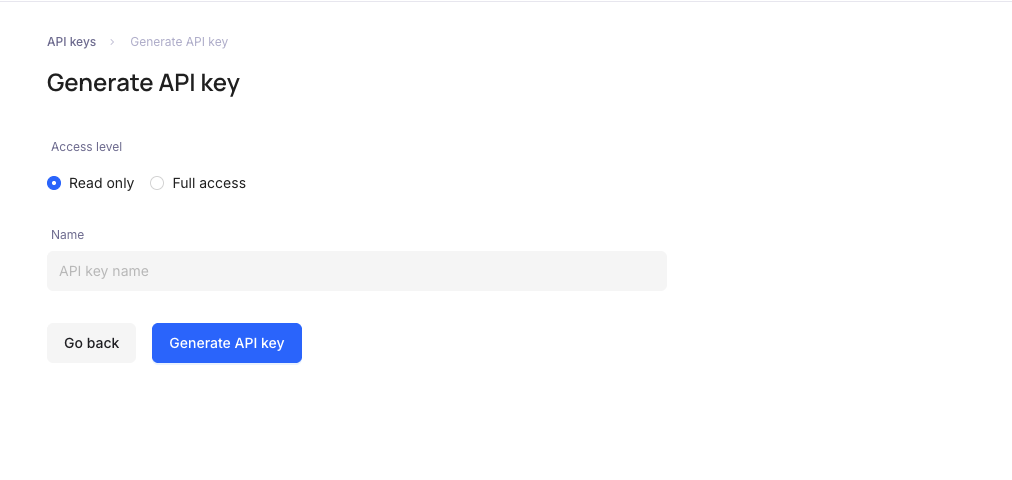
Save the key securely
After the key is generated, Calypso shows the public key and secret key.
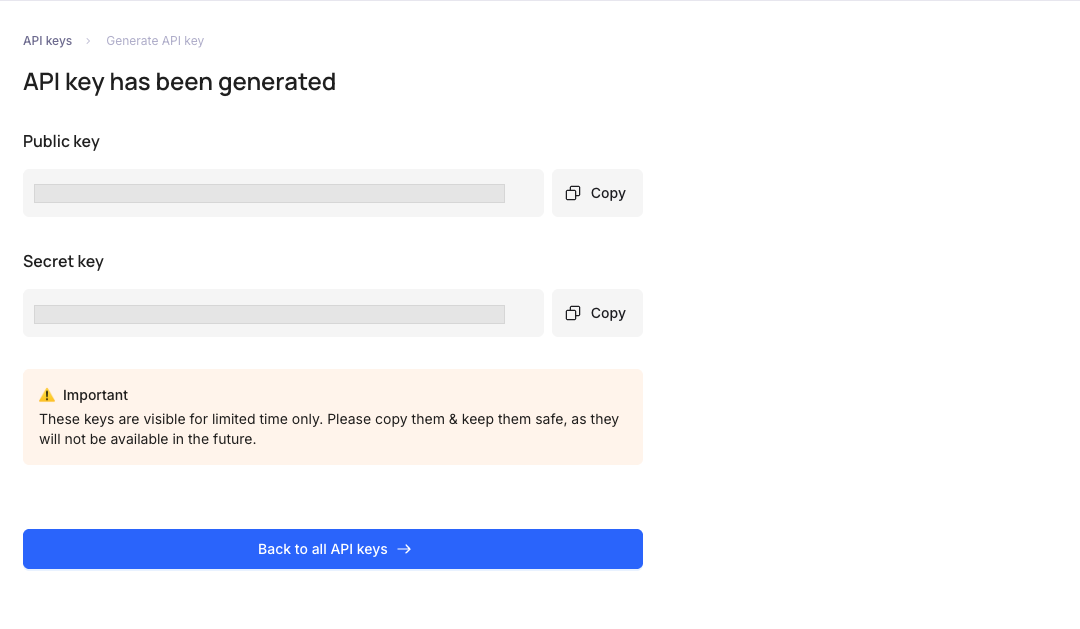
The secret key is shown only once. Save both values in a secure location before closing the modal.
Use these values as:
| Value in Calypso UI | Public API or MCP header |
|---|---|
| Public key | Key |
| Secret key | Secret |
When using the key in Public API or MCP requests, pass the same account that the key was created for. A key from one account should not be used for another account in the same company.
Do not publish API keys in source code, screenshots, public repositories, or shared prompts.
Recommended access level
Use the minimum access level required for the integration:
- Use
Read onlyfor Calypso MCP, reports, invoice lookups, payout lookups, balance checks, wallet lookups, and support analysis. - Use
Full accessonly for integrations that need to create or change data through Public API.
If a key was created with more access than needed, create a new key with the correct access level and replace the credentials in your integration.