How to set up 2FA confirmations
2FA confirmations add an extra security step for payout creation in Calypso Pay. When payout confirmation is enabled, the current user must enter a one-time code before a payout action is accepted.
2FA confirmation is not the same as payout approval by another company user. 2FA verifies the current user at the moment of action. Payout approvals control whether one or more company users must approve a payout before funds are sent.
This setting is stored on the user level. Each user manages 2FA confirmation only for their own payout actions.
When to use 2FA confirmations
We recommend enabling 2FA confirmations if:
- your company creates payouts from the UI;
- several employees have access to payout creation;
- you want to protect payout actions even when a user session is already active;
- your internal security policy requires an additional verification step for fund movement.
Before you start
Make sure that:
- your user has permission to create payouts and can open
Settings>Security; - 2FA is configured for the users who create payouts;
- the users have access to their authenticator app before creating payouts.
If a user does not have 2FA configured, they may need to set it up before they can confirm payout actions that require 2FA.
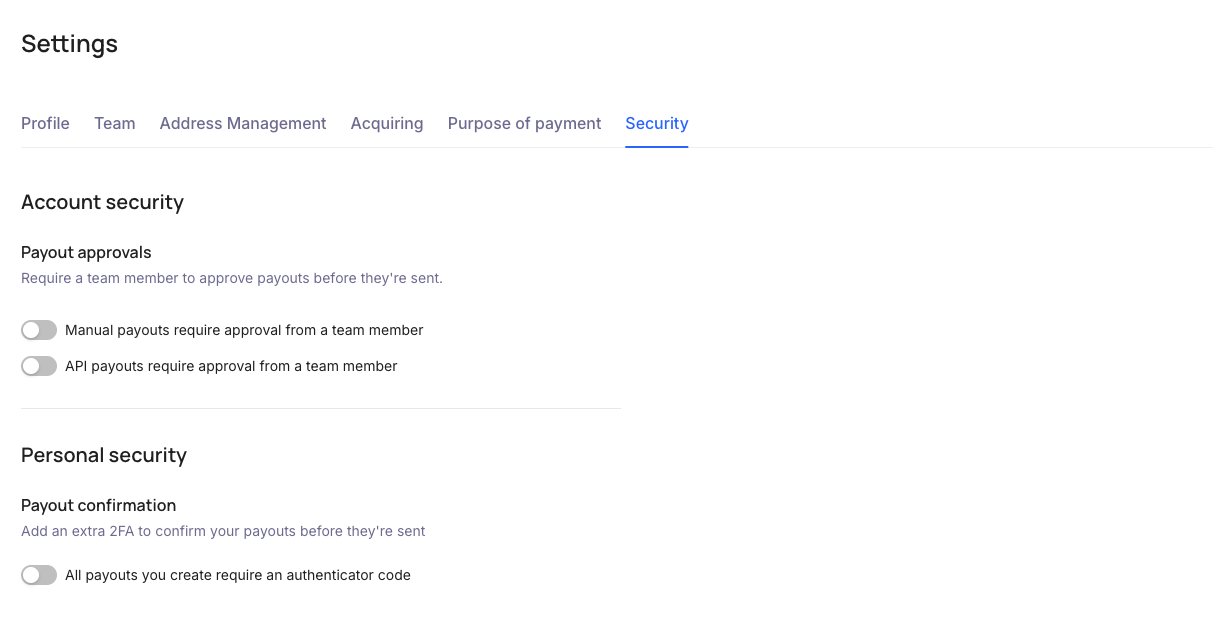
Enable 2FA confirmations for payouts
To enable 2FA confirmations:
- Open your Calypso Pay dashboard.
- Go to
Settings. - Open the
Securitysection. - Find
Personal security. - In
Payout confirmation, turn onAll payouts you create require an authenticator code. - In the
Confirm with 2FAmodal, enter the code from your authenticator app. - Click
Continue.
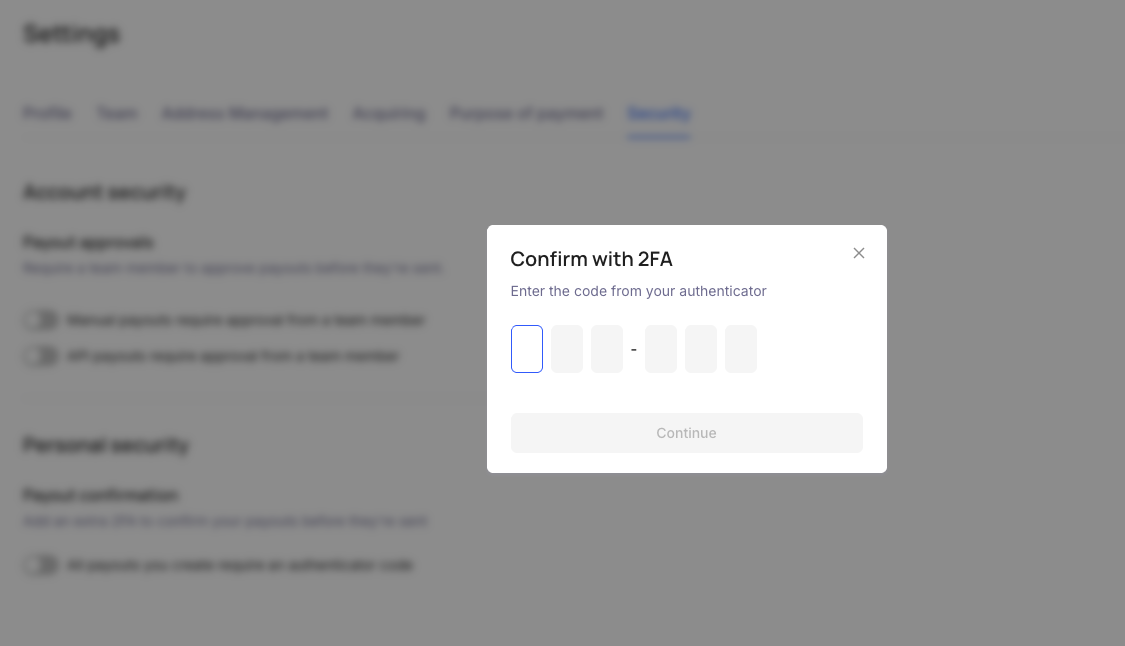
After this setting is enabled, your user will be asked to enter a 2FA code when creating payouts.
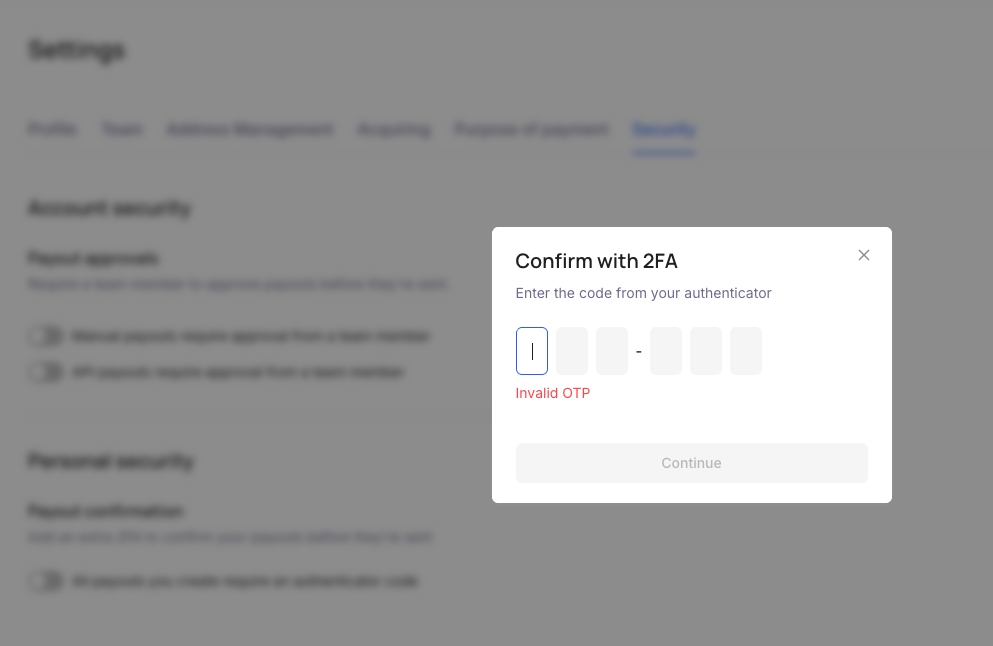
If the code is invalid, the setting is not changed and the modal shows an error. If you close the modal, the toggle returns to its previous state.
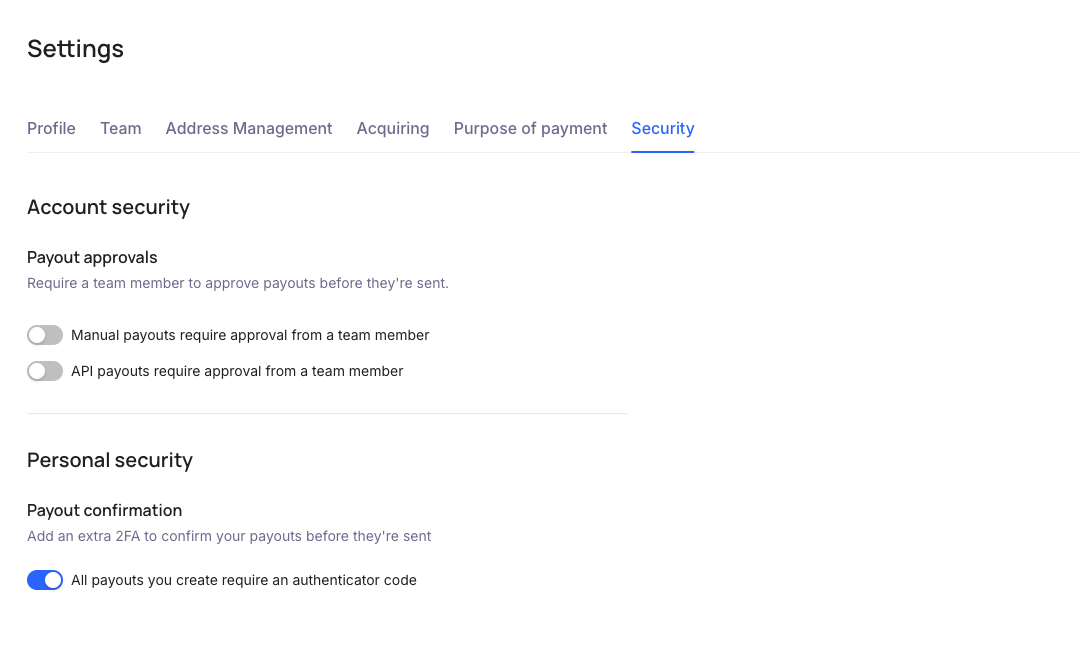
After successful confirmation, the toggle is enabled.
Disable 2FA confirmations for payouts
To disable 2FA confirmations:
- Open
Settings. - Open the
Securitysection. - Find
Personal security. - In
Payout confirmation, turn offAll payouts you create require an authenticator code. - In the
Confirm with 2FAmodal, enter the code from your authenticator app. - Click
Continue.
The setting is disabled only after successful 2FA confirmation. If the code is invalid or the modal is closed, the setting remains enabled.
User flow for payout creation
When 2FA confirmations are enabled, the payout flow includes an additional security step:
- The user creates a single payout or mass payout in the UI.
- The user reviews the payout details.
- The user clicks the final create or confirm button.
- Calypso Pay opens the
Confirm with 2FAmodal. - The user enters the code from their authenticator app.
- The user clicks
Continue. - If the code is valid, the payout action is accepted.
If the account also uses payout approvals, the payout may still wait for approval after successful 2FA confirmation.
What happens if the 2FA code is invalid
If the code is invalid or expired, the payout action is not confirmed. The user should check the authenticator app, enter a fresh code, and try again.
Possible messages:
Invalid OTPTwo-factor authentication is not configured for your user
If the user cannot pass 2FA, they should contact the account administrator or support.
Security recommendations
- Require every payout creator to configure 2FA.
- Keep payout creator permissions limited to users who need them.
- Do not share authenticator codes between users.
- Review payout permissions regularly.
- Use payout approvals separately when your company needs another user to review payouts before funds are sent.