How to set up payout confirmations
Payout confirmations add an extra review step before funds are sent. If payout approvals are enabled, a payout created by one user must be approved by another team member before it can be processed.
Payout confirmations are not the same as 2FA payout confirmation. Payout confirmations are a team approval flow. 2FA payout confirmation verifies the current user with an authenticator code.
Open payout approval settings
To configure payout approvals:
- Open your Calypso Pay dashboard.
- Go to
Settings. - Open the
Securitysection. - Find
Account security. - Use the
Payout approvalssettings.
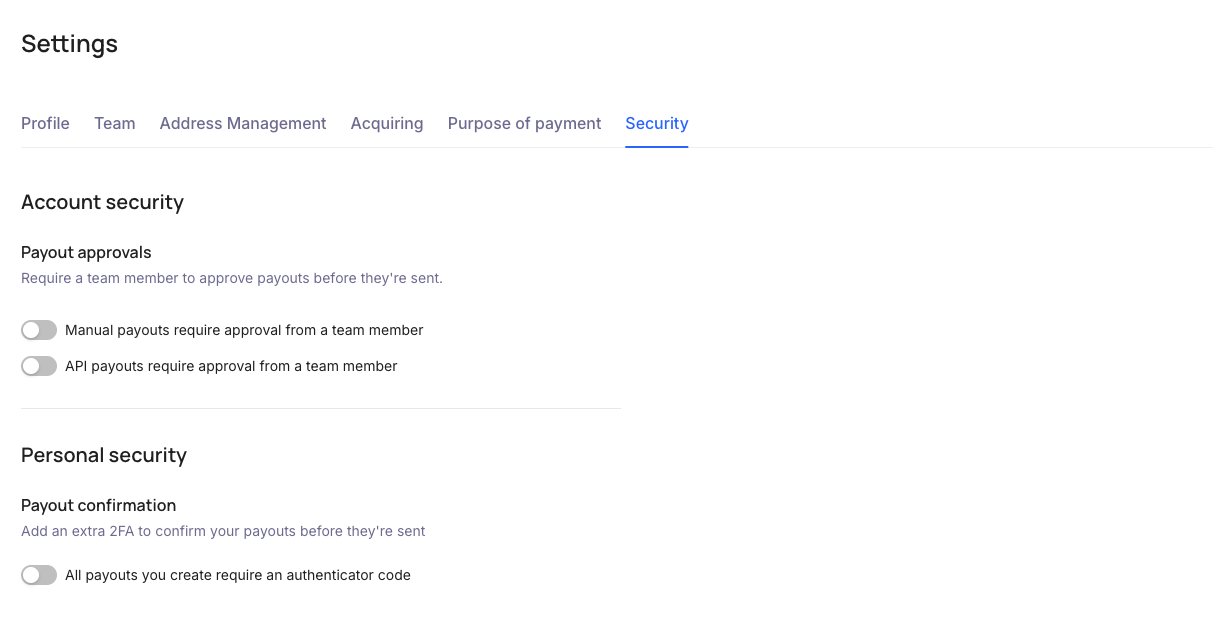
Available settings
The Payout approvals block contains separate settings for manual payouts and API payouts:
| Setting | What it means |
|---|---|
Manual payouts require approval from a team member | Payouts created from the Calypso UI require approval before they are sent. |
API payouts require approval from a team member | Payouts created through Public API require approval in the UI before they are sent. |
Enable the option that matches the payout flow you want to control.
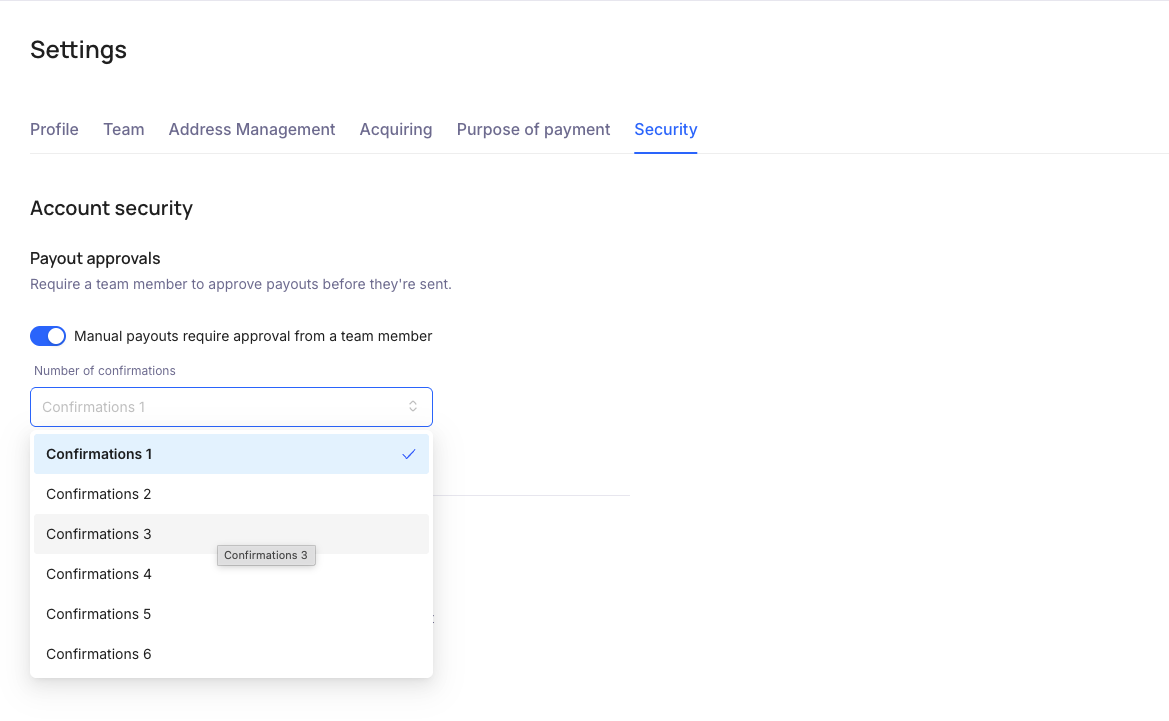
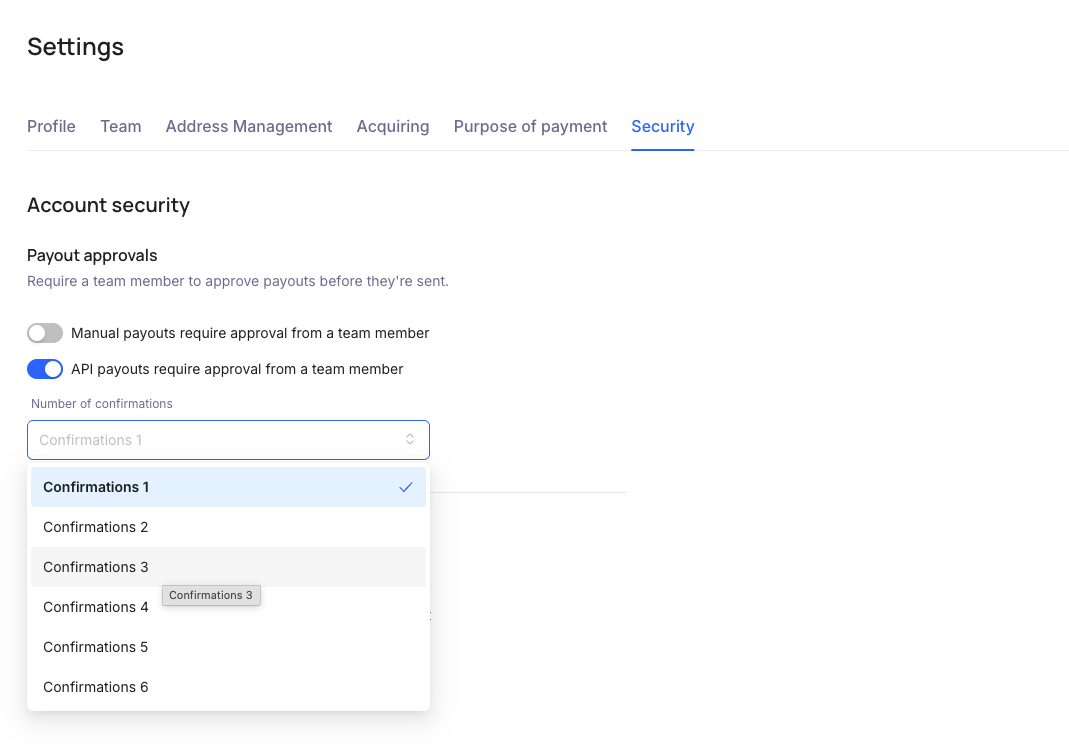
When you enable a payout approval option, Calypso shows Number of confirmations. Use this field to select how many team member confirmations are required before the payout can continue to processing.
Enable approvals for manual payouts
To require approval for payouts created from the Calypso UI:
- Turn on
Manual payouts require approval from a team member. - Select the required
Number of confirmations. - Save the setting if the interface asks you to confirm the change.
Enable approvals for API payouts
To require approval for payouts created through Public API:
- Turn on
API payouts require approval from a team member. - Select the required
Number of confirmations. - Save the setting if the interface asks you to confirm the change.
What happens after payout approvals are enabled
When payout approvals are enabled:
- A user creates a payout in the UI or through the API.
- Calypso creates the payout, but does not send it for processing immediately.
- A team member with the required permissions opens the payout in the UI.
- The team member reviews the payout details.
- The team member approves the payout.
- After the required number of confirmations is received, the payout can continue to processing.
The user who creates the payout may be restricted from approving the same payout, depending on your account configuration.
When to use payout confirmations
We recommend enabling payout confirmations if:
- payout creation and payout approval should be handled by different people;
- your company creates payouts from both the UI and API;
- your company processes large payout amounts;
- you need an additional review before funds are sent.
Related guides
For the full payout approval flow, see:
how-to-use-payments-with-confirmations.md
For 2FA confirmation during payout creation, see: