> For the complete documentation index, see [llms.txt](https://docs.calypso.money/llms.txt). Markdown versions of documentation pages are available by appending `.md` to page URLs; this page is available as [Markdown](https://docs.calypso.money/get-started-with-calypso-ui/general/protect-your-withdrawals-with-additional-signatures.md).

# Protect your withdrawals with additional signatures

To add an extra layer of security to your financial operations, you may want to use the system of multiple signatures for the payouts.\
In short - it will require more than one user to successfully create a payout.

There are two available roles for this action - payout user and payout manager. The first one can only create a payout, and will need a signature from a user with payout manager role to proceed with the transaction. At the same time payout manager can create a payout himself, but will need another payout manager to sign it. Therefore there will always be needed at least 2 people to make a payout - but maybe more, the system is flexible and can be adjusted to your needs.

This functionality applies both to single and mass payouts.\
At the moment it only applies to payouts created from UI and is not used in API.

**To set the number of needed confirmations for your account and get more details - please contact our support.**

Below you can find an instruction on how to assign needed roles to the members of your team.

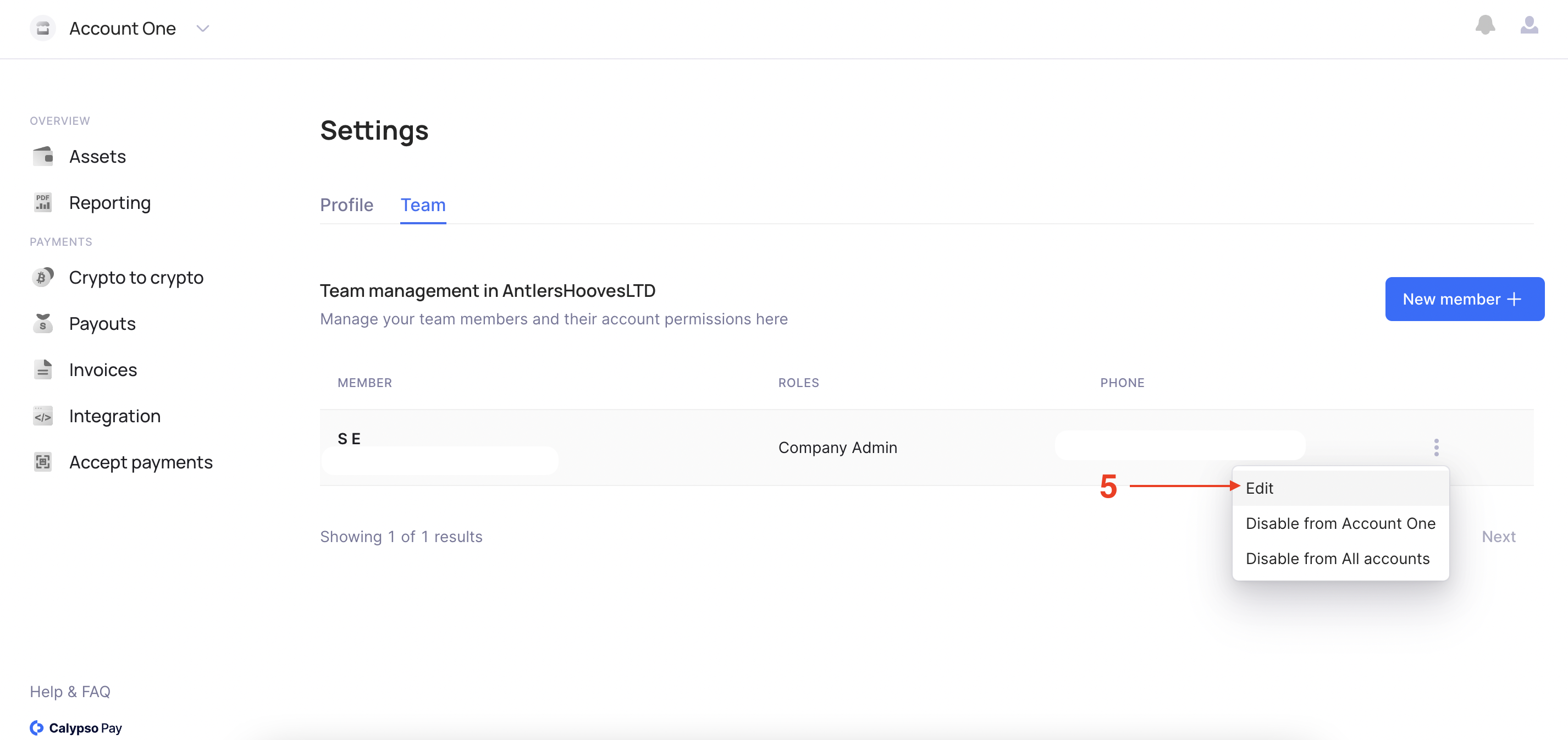
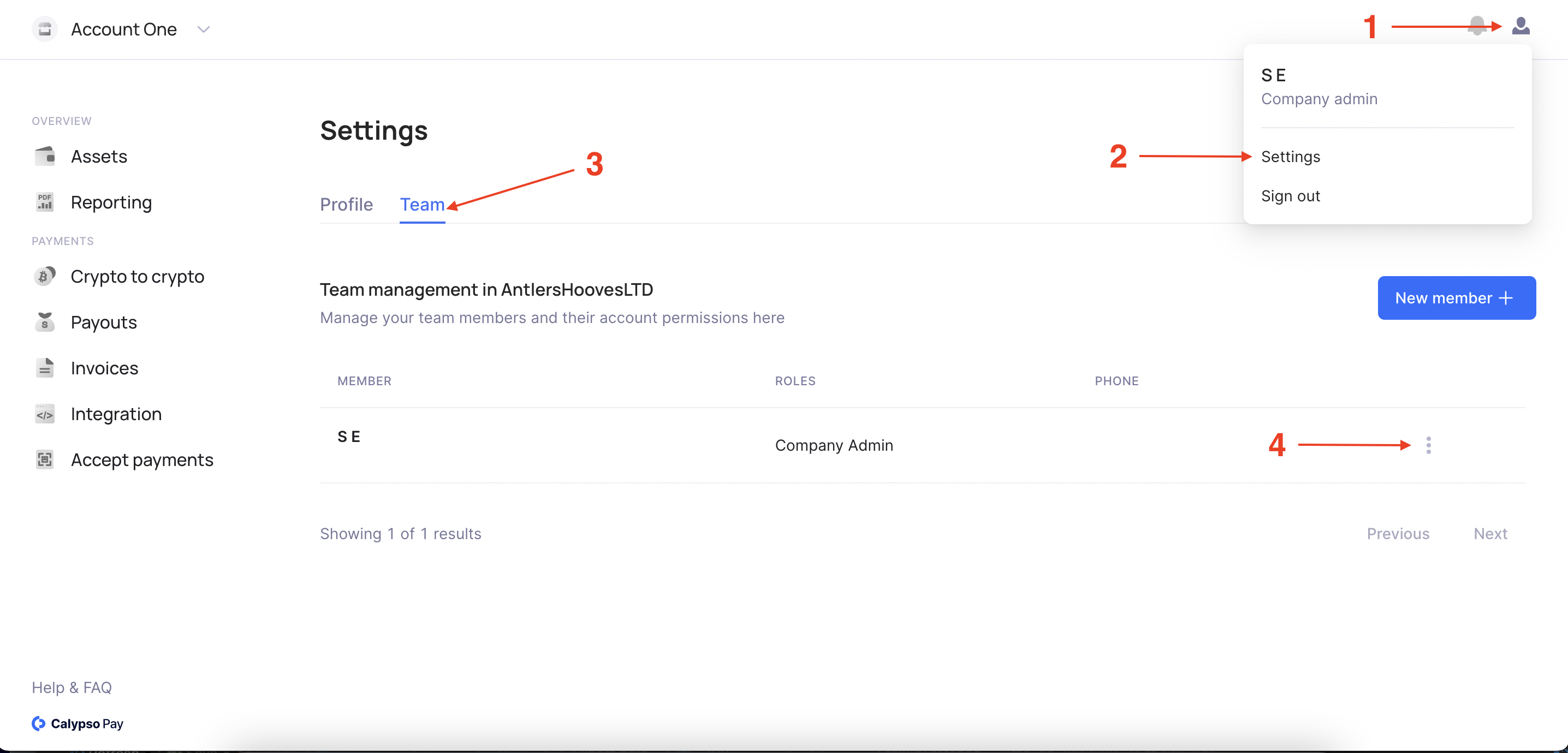
1. Navigate to the individual teammate settings page
<figure><img src="https://files.readme.io/864c8ce-Screenshot_2023-08-31_at_14.17.10.png" alt=""><figcaption></figcaption></figure>

<figure><img src="https://files.readme.io/a3fc930-Screenshot_2023-08-31_at_15.42.54.png" alt=""><figcaption></figcaption></figure>

2. Open "Advanced options" dropdown menu and choose the roles you want to assign.
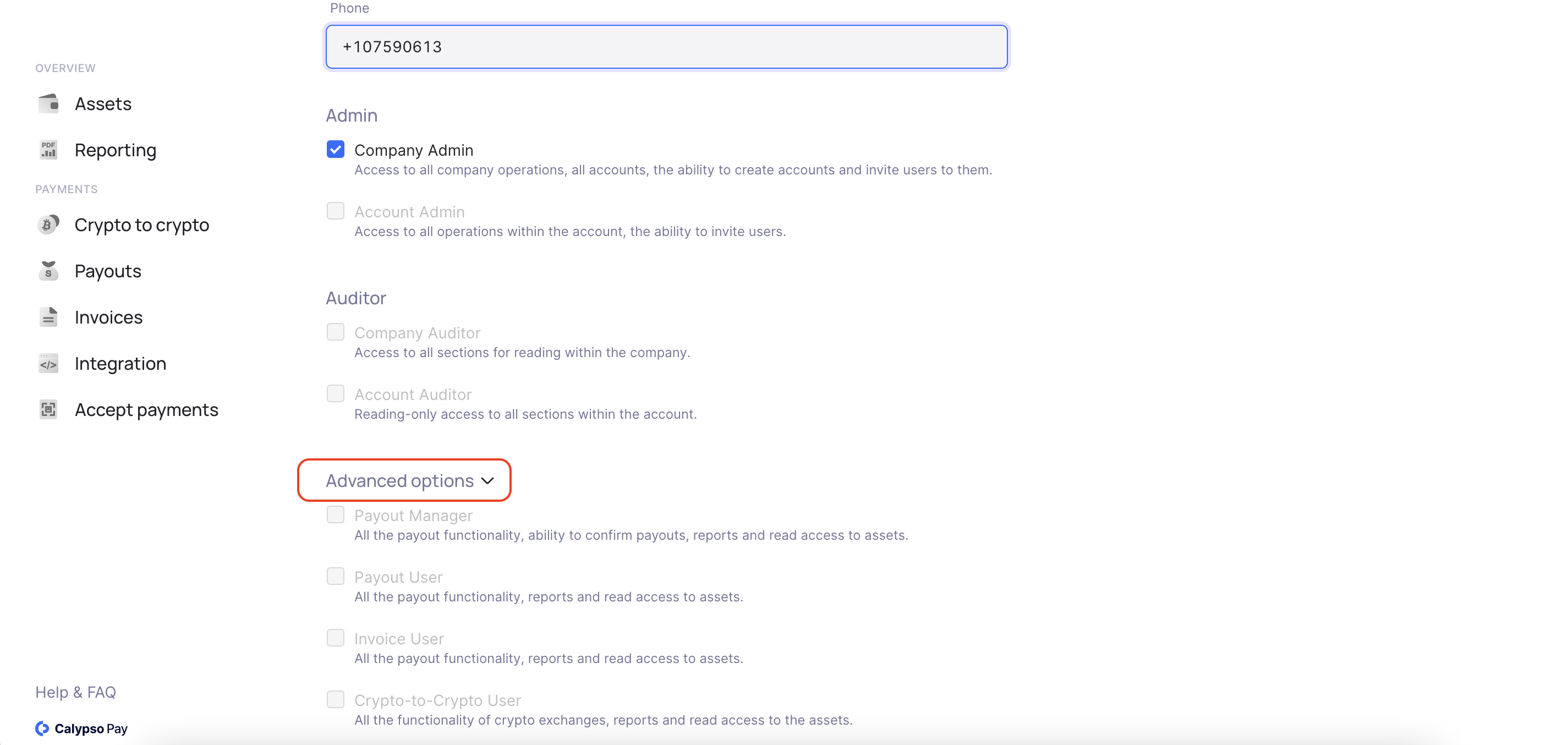
<figure><img src="https://files.readme.io/68bf78c-Screenshot_2023-08-31_at_15.47.37.png" alt=""><figcaption></figcaption></figure>


---

# Agent Instructions
This documentation is published with GitBook. GitBook is the documentation platform designed so that both humans and AI agents can read, navigate, and reason over technical content effectively. Learn more at gitbook.com.

## Querying This Documentation
If you need additional information that is not directly available in this page, you can query the documentation dynamically by asking a question.

Perform an HTTP GET request on the current page URL with the `ask` query parameter:

```
GET https://docs.calypso.money/get-started-with-calypso-ui/general/protect-your-withdrawals-with-additional-signatures.md?ask=<question>
```

The question should be specific, self-contained, and written in natural language.
The response will contain a direct answer to the question and relevant excerpts and sources from the documentation.

Use this mechanism when the answer is not explicitly present in the current page, you need clarification or additional context, or you want to retrieve related documentation sections.